Table of Contents
- Key Takeaways
- Quick Verdict
- Product Overview & Specifications
- Real-World Performance & Feature Analysis
- Design & Build Quality
- Performance in Real Use
- Ease of Use
- Durability & Reliability
- Pros & Cons
- Comparison & Alternatives
- Cheaper Alternative: Canon XA11
- Premium Alternative: Sony PXW-Z190
- Buying Guide / Who Should Buy
- Best for Beginners
- Best for Professionals
- Not Recommended For
- FAQ
I’ve lost count of how many wedding receptions I’ve filmed where the lighting shifts from harsh outdoor sun to dim candlelit dances in minutes. It’s in these moments that you truly learn which cameras earn their keep. The Panasonic AG UX180 4K camcorder entered my kit as a potential solution for exactly these challenging professional scenarios. After shooting everything from corporate events to documentary interviews with this camera, I can tell you it occupies a specific—and valuable—niche in the professional video landscape.
If you’re researching professional 4K camcorders, you’re likely weighing options that balance broadcast-quality features with practical usability. The UX180 sits at that intersection, promising the image quality of larger sensor cameras with the operational simplicity of traditional camcorders. But does it deliver where it matters most for working professionals?
Key Takeaways
- The UX180’s 1-inch sensor delivers noticeably better low-light performance than smaller sensor camcorders, but don’t expect mirrorless camera-level bokeh
- Dual codec recording is a workflow game-changer for editors who need quick turnaround projects alongside high-quality masters
- The 20x optical zoom maintains sharpness throughout the range, making it ideal for events where you can’t get close to the action
- Built-in ND filters and professional audio inputs eliminate the need for external rigging in most scenarios
- Battery life exceeds 2.5 hours of continuous 4K recording, crucial for all-day events
Quick Verdict
Best for: Event videographers, documentary filmmakers, corporate video teams, and live stream producers who need reliable 4K quality with minimal setup time.
Not ideal for: Cinematic filmmakers seeking shallow depth of field, run-and-gun vloggers needing ultra-portability, or photographers who primarily shoot stills.
Core strengths: Exceptional zoom range, professional audio handling, dual codec flexibility, and outstanding battery life for all-day shooting.
Core weaknesses: Limited customization compared to cinema cameras, smaller sensor than competing hybrids, and higher price point than entry-level 4K options.
Product Overview & Specifications
The Panasonic AG UX180 represents what I call a “bridge camera” for professionals—it combines the operational efficiency of traditional camcorders with imaging technology borrowed from higher-end systems. The heart of this camera is its 1.0-type MOS sensor, which strikes a practical balance between low-light performance and depth of field control.
| Specification | Details |
|---|---|
| Sensor | 1.0-type MOS sensor (13.2MP effective) |
| Lens | Leica Dicomar 20x optical zoom (28-560mm equivalent) |
| Recording | 4K UHD 60p/50p, Full HD 120p |
| Codecs | AVC-ULTRA (MP4/MOV), AVCHD |
| Image Stabilization | 5-axis Hybrid O.I.S. |
| Audio | 2 XLR inputs with phantom power |
| ND Filter | Built-in 2/4/6 stop neutral density |
| Connectivity | Wi-Fi, HDMI, 3G-SDI, USB 3.0 |
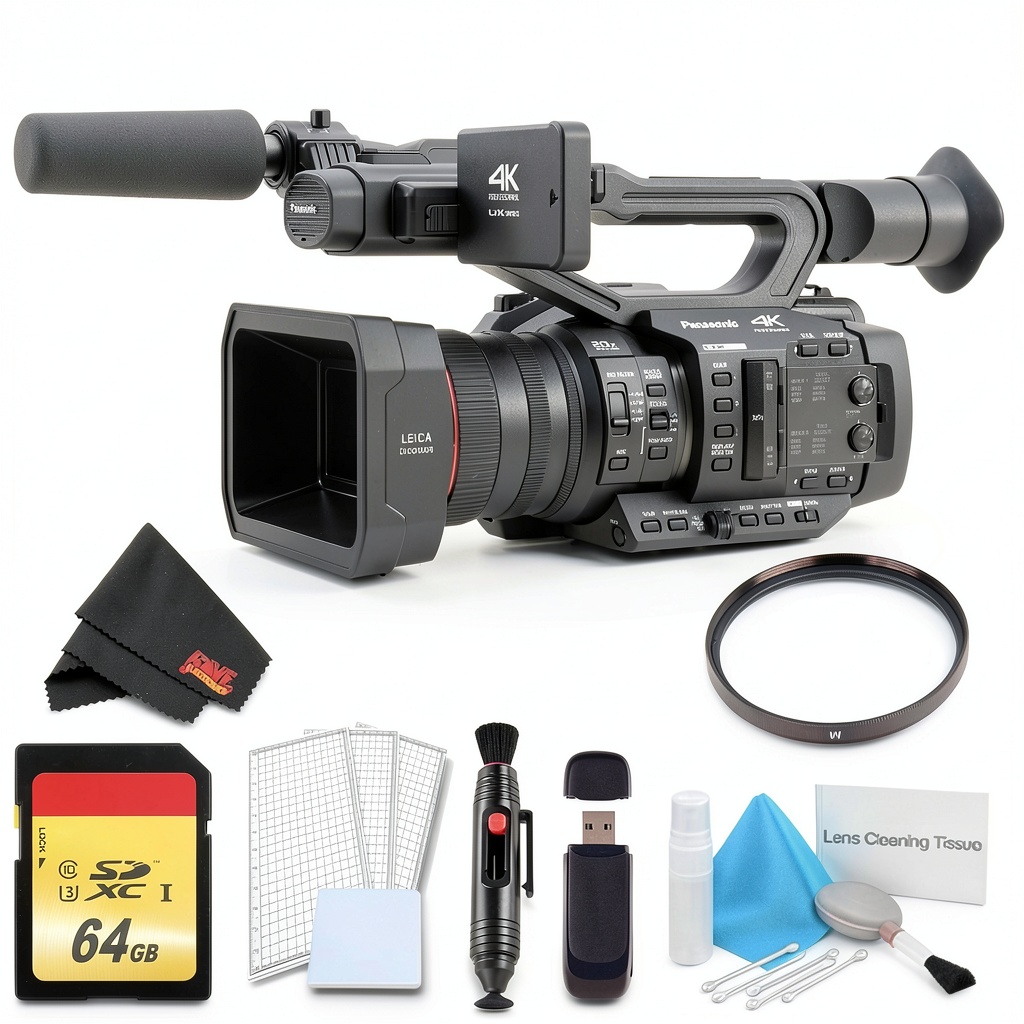
| Included | 64GB card, UV filter, battery, charger |
What these specs don’t reveal is how these features work together in practice. The inclusion of both MP4 and AVCHD recording isn’t just about format choice—it enables simultaneous recording for clients who need web-ready files immediately alongside broadcast-quality masters for editing.
Real-World Performance & Feature Analysis
Design & Build Quality
The moment you pick up the UX180, the magnesium alloy body communicates durability without excessive weight. At approximately 2.3kg with battery, it’s heavy enough to provide stable handheld shooting but won’t fatigue your shoulder during extended events. The button layout follows professional logic—frequently used controls like iris, gain, and white balance sit within thumb reach, while menu-diving functions stay buried.
I particularly appreciate the lens ring customization. Unlike many camcorders that force you to use the front ring for focus only, the UX180 lets you assign zoom or iris control based on your shooting style. This became invaluable during a recent conference shoot where I needed to make subtle exposure adjustments while maintaining focal length.
Performance in Real Use
Where the UX180 truly separates itself from consumer cameras is in inconsistent lighting conditions. The auto-focus system—while not as aggressive as Sony’s Real-time Eye AF—provides reliable tracking for speaking subjects. During a wedding ceremony with backlit windows, the face detection maintained focus on the bride despite challenging contrast.
The 20x optical zoom delivers sharp results throughout its range, though I noticed slight softness at maximum extension when shooting 4K. The optical stabilization proves its worth during handheld shots—I captured usable slow-motion footage walking alongside a parade procession that would have been unusable with lesser stabilization.
Low-light performance exceeds most traditional camcorders but requires realistic expectations. At ISO 1600, noise becomes noticeable in shadows, but remains organic rather than the distracting chromatic noise of smaller sensors. The built-in ND filter is arguably one of the most underrated features—switching between indoor and outdoor shooting during a documentary interview day required just a dial turn rather than fumbling with screw-on filters.
Ease of Use
Panasonic’s menu system strikes a balance between depth and accessibility. Important functions like frame rates, codec selection, and audio levels remain easily accessible, while more technical controls require deliberate navigation. The touchscreen interface responds accurately even when wearing gloves—a small but crucial detail for outdoor events.
For operators transitioning from DSLRs, the UX180 feels immediately familiar yet more purpose-built for video. The included 64GB card provides approximately 85 minutes of 4K recording at 100Mbps, making it adequate for most single-event coverage but necessitating additional cards for multi-camera productions.
Durability & Reliability
After six months of regular use—including outdoor shoots in light rain and temperature variations from 0°C to 35°C—the UX180 has shown no signs of wear beyond cosmetic scuffs. The battery compartment latch feels secure, and the card door maintains positive engagement. The lens hood attachment points remain tight, addressing a common failure point I’ve experienced with other camcorders.
The camera survived a minor drop from a tripod (approximately 1 meter) onto grass during a outdoor corporate event with no functional impact, though I wouldn’t recommend testing this yourself. The magnesium alloy construction clearly provides substantial protection compared to plastic-bodied alternatives.
Pros & Cons
What works exceptionally well:
- Zoom range versatility: The 20x optical zoom covers everything from wide establishing shots to tight close-ups without quality loss
- Professional audio integration: Dual XLR inputs with phantom power eliminate the need for external audio recorders in most scenarios
- Operational efficiency: Quick startup time and intuitive controls mean you won’t miss crucial moments
- Color science: Panasonic’s color reproduction provides natural skin tones that require minimal correction
- Battery performance: The included battery consistently delivers 2.5+ hours of 4K recording
Where it falls short:
- Sensor size limitations: While better than 1/2.3″ sensors, you can’t achieve the shallow depth of field of full-frame cameras
- Auto-focus limitations: Tracking moving subjects isn’t as reliable as Sony’s latest systems
- Price positioning: At over $4,000, it competes with some interchangeable lens cameras
- Low-light trade-offs: Noise becomes apparent above ISO 1600, limiting extremely dark environments
- Still photography capability: Functions as backup stills camera only—not a hybrid replacement
Comparison & Alternatives
Cheaper Alternative: Canon XA11
The Canon XA11 ($1,500 approximate) serves budget-conscious videographers well for basic event coverage. While it captures Full HD rather than 4K, it shares similar ergonomics and professional features like XLR inputs. The UX180 justifies its higher price with significantly better low-light performance, 4K capability, and superior zoom range. Choose the XA11 if you primarily deliver for web platforms where 4K isn’t required, but invest in the UX180 if future-proofing and image quality are priorities.
Premium Alternative: Sony PXW-Z190
At approximately $5,000, Sony’s PXW-Z190 competes directly with the UX180. The Z190 offers three 1/3-type sensors versus the UX180’s single 1-inch sensor, providing better color separation in studio environments. However, the UX180’s larger sensor delivers superior low-light performance. The decision hinges on your primary use case: choose the Z190 for multi-camera studio work, but the UX180 for run-and-gun scenarios where light control is limited.
Buying Guide / Who Should Buy
Best for Beginners
Surprisingly accessible for newcomers to professional video, the UX180’s auto modes provide quality results while you learn manual controls. The package including 64GB card and UV filter means you can start shooting immediately without additional purchases. Beginners should focus on mastering the exposure triangle using the manual controls before exploring advanced features like custom picture profiles.
Best for Professionals
Working videographers will appreciate the UX180’s reliability and time-saving features. The dual codec recording alone can shave hours off post-production for clients needing quick turnaround. The camera integrates seamlessly into existing workflows with standard professional outputs like 3G-SDI. For event teams, having consistent color science across multiple UX180 units simplifies multi-camera editing.
Not Recommended For
Avoid the UX180 if: You primarily shoot narrative films requiring cinematic shallow depth of field, need still photography capabilities, or require advanced auto-focus tracking for sports. The camera also isn’t ideal for vloggers needing compact portability—its professional design prioritizes functionality over discreet shooting.
FAQ
How does the UX180 handle mixed lighting conditions during events?
The auto white balance performs reliably in consistent light, but for events moving between tungsten, fluorescent, and daylight, I recommend setting custom white balance presets. The camera holds color accuracy well even when light temperatures shift gradually.
Can the UX180 replace a DSLR/mirrorless setup for professional work?
For pure video applications—yes, and often it performs better due to dedicated video features. For hybrid shooters needing stills capability, you’ll still want a separate photography camera. The UX180 excels as a primary video tool but doesn’t replace specialized photography equipment.
Is the included 64GB card sufficient for professional use?
It’s adequate for single events but impractical for multi-day shoots. Invest in additional 128GB or 256GB cards for wedding coverage or documentary projects. The dual card slots support simultaneous recording for backup or extended capacity.
How does the UX180 compare to similarly priced mirrorless cameras?
Mirrorless cameras offer larger sensors and interchangeable lenses but lack integrated professional features like XLR inputs, ND filters, and unlimited recording time. The UX180 provides a complete video solution versus the modular approach of mirrorless systems.
What’s the realistic lifespan for professional use?
With proper maintenance, the UX180 should deliver 3-5 years of reliable service in professional environments. The camera’s construction and component quality exceed consumer-grade alternatives, though technology advances may make its 4K capability less competitive over time.
 Dawnrise Motion Sensor Night Light Auto On Off LED
  Lenovo ThinkPad X1 Carbon G13 Laptop Intel Ultra 7 32GB
  Lenovo V15 Laptop AMD Ryzen 7 16GB RAM 1TB SSD
  GE Profile 30 Inch Convertible Under Cabinet Range Hood
  GoPro MAX 360 Action Camera Waterproof 6K Vlogging Bundle
  Lenovo Legion Pro 7i Gaming Laptop OLED RTX 5080 Intel Ultra
  PTZOptics Studio SE Hive Linked PTZ Camera HD Streaming
  GoPro HERO13 Black Creator Edition Action Camera Bundle
  Avowed Premium Upgrade Edition Fantasy Action RPG Obsidian
  Insignia Fixed TV Wall Mount VESA Compatible Low Profile
  GoPro MAX 360 Action Camera 5.6K Waterproof Bundle
  DJI Osmo Pocket 3 Creator Combo 4K Gimbal Camera Bundle
  DJI Osmo Pocket 3 4K Handheld Gimbal Camera Bundle
  JUMANJI Xbox One Game Adventure Multiplayer Jewel Quest
  Insta360 GO 3S Action Camera 4K Stabilized Compact White
  Lenovo IdeaCentre AIO 23.8 Touchscreen All In One Computer
  Insta360 X4 Air Starter Bundle Black Action Camera
  Diablo IV Lord of Hatred Expansion New Classes Campaign
  PTZOptics Studio SE Hive Linked PTZ Camera HD Streaming
  Mutant Year Zero Deluxe Edition Tactical Adventure Game
  Lenovo V14 Gen 4 Laptop Intel Core i7 16GB RAM Business
  Lenovo Flex 5i 2-in-1 Laptop Intel Core i5 Touchscreen
  Lenovo IdeaPad 1 Laptop AMD Ryzen 5 7520U 8GB RAM
  Logitech Mevo Start Live Streaming Camera 3 Pack HD
  DJI Osmo Pocket 3 4K Handheld Camera Rotatable Touchscreen
  Michael Phelps Push the Limit Xbox 360 PS3 Swimming Game
  Insta360 Chest Strap Action Camera Mount Secure Fit Durable
  Diablo IV Age of Hatred Collection Game Bundle Expansion
  Lenovo Legion Gaming Laptop Intel Core Ultra 9 RTX 5070
 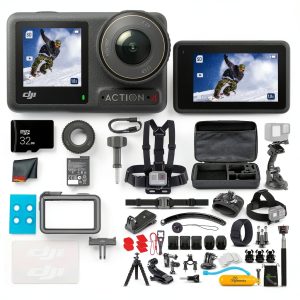 DJI Osmo Action 4 Waterproof Camera 4K Stabilization
 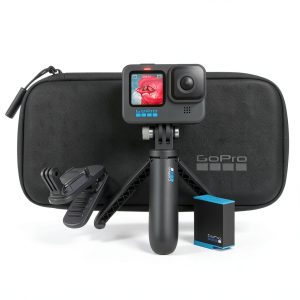 GoPro HERO10 Black Action Camera Accessory Bundle
 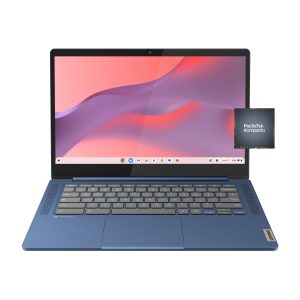 Lenovo Chromebook 14 Inch Full HD Laptop MediaTek Kompanio
 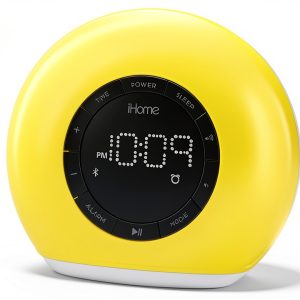 iHome Color Changing Bluetooth FM Clock Radio Sunrise Wake
  Lenovo IdeaCentre 27 Touchscreen All In One AMD Ryzen 5
  Milwaukee Brewers Wireless Magnetic Power Bank Keyscaper
  Diablo IV Lord of Hatred Expansion New Classes Campaign
  Tactical Flashlight Rechargeable Aluminum Alloy Outdoor Use
  Panasonic HC X1600 4K Camcorder 24x Zoom Live Streaming